Facing various ads on video platforms, I chose to set up my own platform to watch shows, which can achieve automatic anime tracking, high-definition quality, playback on all platforms, and sharing with friends.

Preparation

  • NAS or your own server
  • ANI-RSS
  • QB
  • EMBY
  • MP
  • Autofilm (optional)

qbittorrent

Then establish the downloader, create a docker-compose.yml file, with the content as follows

1
2
3
4
5
6
7
8
9
10
11
12
13
14
15
16
17
18
19
20
21
22
version: "2"
services:
qbittorrent:
image: linuxserver/qbittorrent
container_name: qbittorrent
environment:
- PUID=1000
- PGID=1000
- TZ=Asia/Shanghai # Your time zone
- UMASK_SET=022
- WEBUI_PORT=49850 # Change this to the WEB management platform port you want to use
volumes:
- ./config:/config # Change the absolute path to your own config folder
- /data/downloads:/downloads # Change the absolute path to your own downloads folder
ports:
# The mapping download port and internal download port to be used can be kept as default; you can still change to other ports on the management page after installation.
- 49849:49849
- 49849:49849/udp
# Ensure that the WEB UI target port and internal port are the same here, see issue 1
- 49850:49850
restart: unless-stopped

ANI-RSS

Mainly used with QB to achieve automatic anime downloading and renaming, automatic tracking, subscription, and downloading from Mikan RSS Anime.
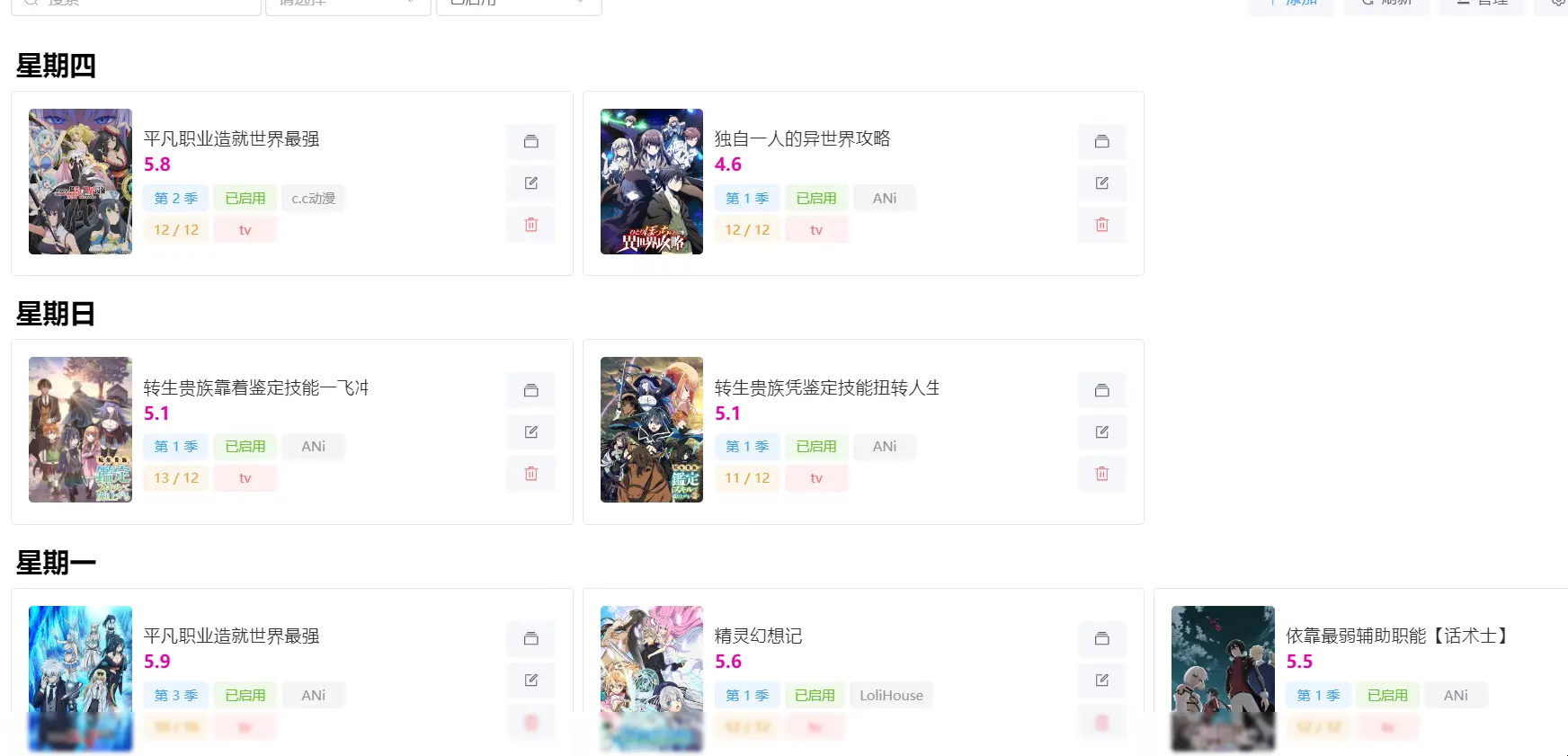
ani-rss interface​

Create a docker-compose.yml file, with the content as follows

1
2
3
4
5
6
7
8
9
10
11
12
13
14
15
version: "3"
services:
ani-rss:
container_name: ani-rss
volumes:
- ./config:/config
- /data/downloads:/downloads
ports:
- 7789:7789
environment:
- PORT=7789
- CONFIG=/config
- TZ=Asia/Shanghai
restart: always
image: wushuo894/ani-rss

The downside is that it temporarily does not support aggregated subscriptions and can only subscribe individually.
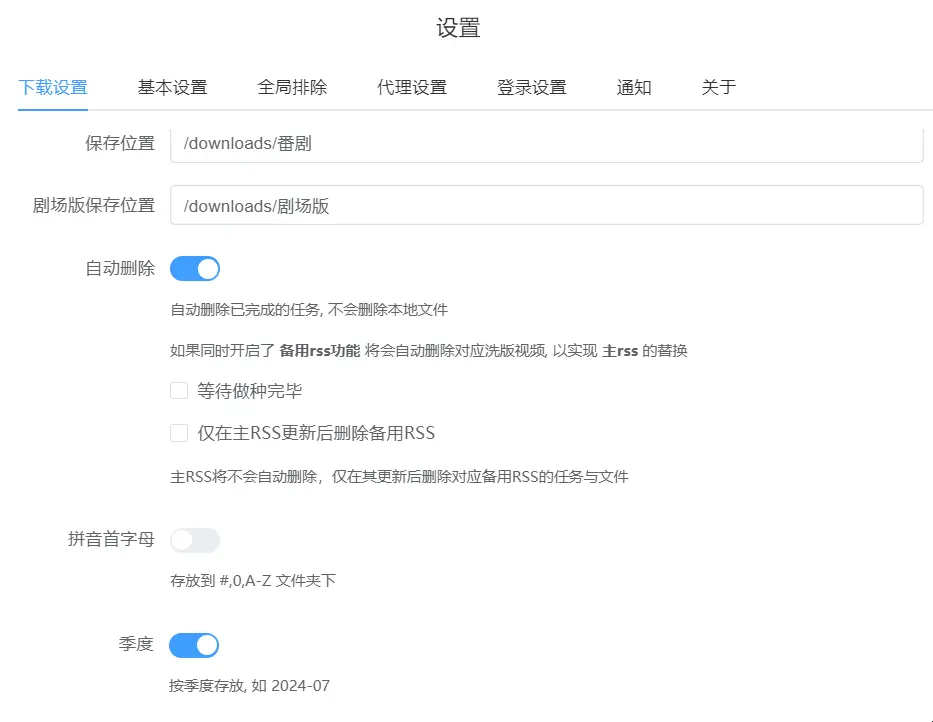
Settings​

Note that the save location needs to be the same as the qbittorrent download location.

Of course, you can also upload the downloaded videos to a third-party cloud drive via alist. You can then create strm files on other servers using Autofile and scrape them with MoviePilot.

MoviePilot

Mainly used for scraping; here, for convenience in management, I am using the strm hard link method.

Not using Emby for scraping is mainly to improve performance and speed.

You can choose either MoviePilot V1 or MoviePilot V2.

MoviePilot V1

Create a docker-compose.yml file, with the content as follows

1
2
3
4
5
6
7
8
9
10
11
12
13
14
15
16
17
18
19
20
21
22
23
24
25
26
27
28
29
30
31
version: "2.3"
services:
moviepilo:
image: jxxghp/moviepilot:latest
container_name: moviePilot
environment:
- UID=1000
- GID=1000
- UMASK=022
- NGINX_PORT=3000
- PORT=3001

# Proxy (used for connecting to TMDB, updates, etc.)
# - PROXY_HOST=http://10.0.0.4:10080
# - MoviePilot_AUTO_UPDATE = ture
# Authentication site information
- AUTH_SITE=xxxxx
- WINTERSAKURA_UID=xxxx
- WINTERSAKURA_PASSKEY=xxxxx

volumes:

# MoviePilot configuration directory
- ./moviepilot/main:/moviepilot # Program main directory, required [modify yourself]
- ./moviepilot/config:/config # Config configuration file, required [modify yourself]
# Media library directory
- /data/downloads:/media # Remember this path is the downloads path set above in qb [modify yourself]
ports:
- 3000:3000 # HTTP port
restart: on-failure

Download the directory monitoring plugin from the plugin market and set it as shown in the following figure.
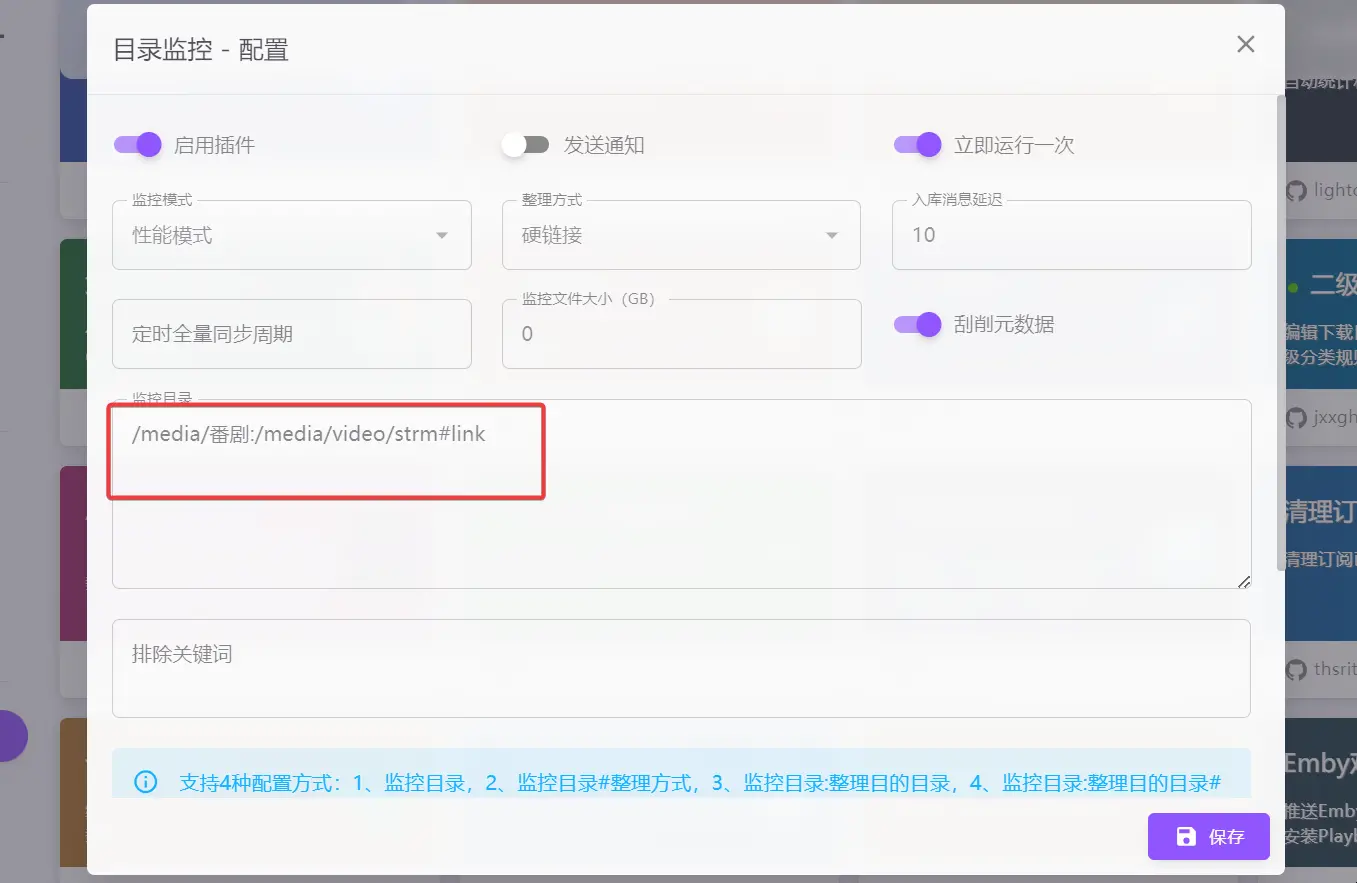
Directory Monitoring Configuration​

MoviePilot V2

Compared to V1, V2 has integrated the directory monitoring function.

Create a docker-compose.yml file, with the content as follows

1
2
3
4
5
6
7
8
9
10
11
12
13
14
15
16
17
18
19
20
21
22
23
24
25
26
27
28
29
30
31
32
33
34
35
36
37
38
39
40
version: '3.3'

services:
moviepilot:
stdin_open: true
tty: true
container_name: moviepilot-v2
hostname: moviepilot-v2
networks:
- moviepilot
ports:
- target: 13000
published: 13000
protocol: tcp
volumes:
- '/data/downloads:/media'
- './moviepilot-v2/config:/config'
- './moviepilot-v2/core:/moviepilot/.cache/ms-playwright'
- './var/run/docker.sock:/var/run/docker.sock:ro'
#- '/root/.config/rclone:/moviepilot/.config/rclone'
# - '/alist:/alist'
- '/data:/data'
environment:
- 'NGINX_PORT=13000'
- 'PORT=13001'
- 'PUID=0'
- 'PGID=0'
- 'UMASK=000'
- 'TZ=Asia/Shanghai'
- 'AUTH_SITE=xxxxx'
- 'WINTERSAKURA_UID=xxxxx'
- 'WINTERSAKURA_PASSKEY=xxxxx'
- 'SUPERUSER=admin'
# - 'API_TOKEN=No need to configure manually, the system will generate it automatically. If you need to customize, it must be a complex string of 16 characters or more'
restart: always
image: jxxghp/moviepilot-v2:latest

networks:
moviepilot:
name: moviepilot

EMBY

Video player that supports TV, Android, Apple, and PC playback, allowing online viewing of videos.

Create a docker-compose.yml file, with the content as follows

1
2
3
4
5
6
7
8
9
10
11
12
13
14
15
16
17
18
19
20
21
22
23
24
25
26
version: "2.3"
services:
emby:
image: amilys/embyserver:latest
container_name: emby
# network_mode: host
ports:
- 8096:8096
- 8920:8920
- 1900:1900/udp
- 7359:7359/udp
environment:
- PUID=1000
- PGID=1000
- GIDLIST=0
- TZ=Asia/Shanghai
# - HTTP_PROXY="http://your proxy IP:port/"
# - HTTPS_PROXY="http://your proxy IP:port/"
# devices:
# - /dev/dri:/dev/dri
volumes:
- ./emby:/config
- /data/downloads:/media
# - /alist:/alist

restart: unless-stopped

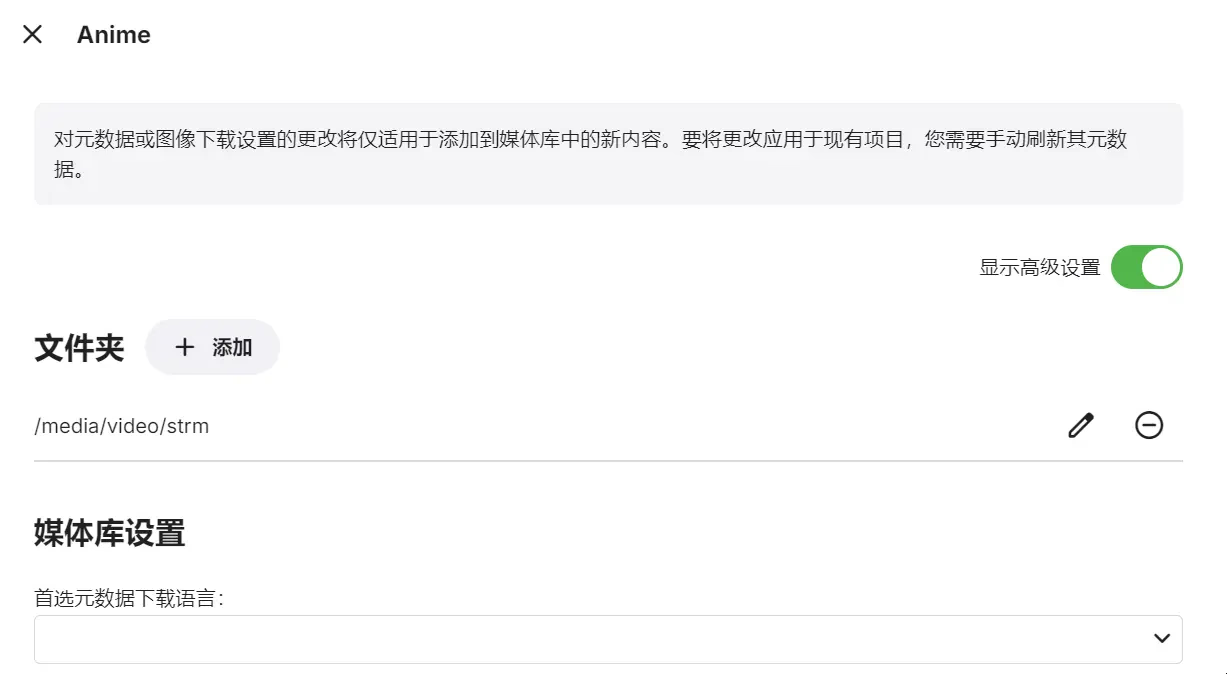
Set the media library directory.

Media Directory​

Just check the three options in the three images; no need to check the others.
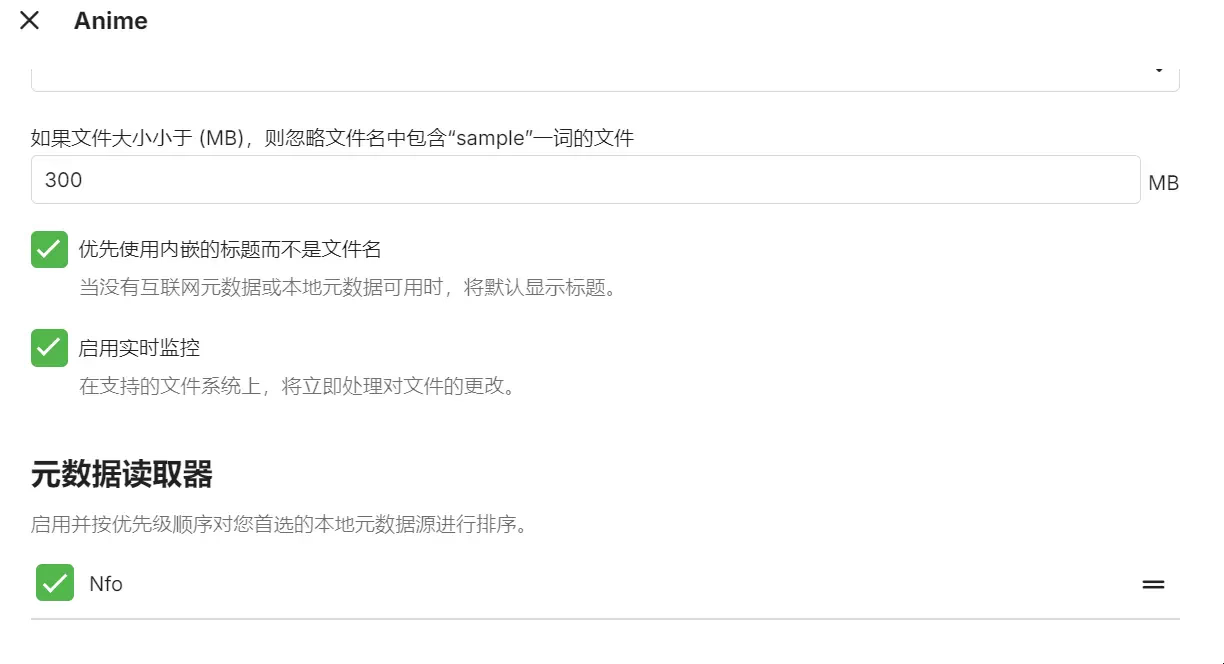
Media Settings​

Autofilm (optional)

If you need to configure EMBY to play videos on another server, you may need to use autofile on that server, which requires alist.

Create a docker-compose.yml file, with the content as follows

1
2
3
4
5
6
7
8
9
10
11
version: '3.8'

services:
autofilm:
image: akimio/autofilm
container_name: autofilm
volumes:
- ./config:/config
- /data/downloads/video:/media
- ./logs:/logs
restart: always

Enter the config folder and create config.yaml, with the configuration as follows

1
2
3
4
5
6
7
8
9
10
11
12
13
14
15
16
17
18
19
20
21
22
23
24
25
26
27
28
29
30
31
32
33
34
35
36
37
38
39
Settings:
DEV: False # Developer mode (optional, default False)

# Download strm files from alist
Alist2StrmList:
- id: Anime # Identification ID
cron: 54 15 * * * # Background scheduled task Crontable expression
url: xxxxx # Alist server address, domain needs ws support
username: xxxxx # Alist username
password: xxxxx # Alist password
source_dir: /Anime # Folder path on the Alist server
target_dir: /media/strm # Output path
flatten_mode: False # Flatten mode, if enabled, subtitle, image, nfo will be forcibly disabled (optional, default False)
subtitle: False # Whether to download subtitle files (optional, default False)
image: False # Whether to download image files (optional, default False)
nfo: False # Whether to download .nfo files (optional, default False)
raw_url: False # Whether to use the original address to replace the Alist server download address (optional, default False)
overwrite: False
# Overwrite mode, whether to regenerate/download the file if a file with the same name exists in the local path (optional, default False)
other_ext: # Custom download suffix, separated by Western half-width commas (optional, default empty)
max_workers: 5 # Maximum number of concurrent file downloads (optional, default 5)
url_encode: True # Whether to perform URL encoding on the links in the generated strm files


# Recommended to delete
#Ani2AlistList:
# - id: New Episode Updates # Identification ID
# cron: 33 15 * * * # Background scheduled task Crontable expression
# url: xxxxx # Alist server address
# username: xxx # Alist username (requires administrator permissions)
# password: xxxx # Alist password
# target_dir: /Anime # Alist address tree storage path, will be automatically created if the storage does not exist (optional, default /Anime)
# rss_update: True # Use RSS subscription to update the latest anime, ignores passed year and month when enabled (optional, default True)
# year: 2024 # Anime season - year, only supports 2019-1 and later updates (optional, default uses current date)
# month: 10 # Anime season - month, only supports 2019-1 and later updates (optional, default uses current date)
# src_domain: openani.an-i.workers.dev # ANI Open project domain (optional, default aniopen.an-i.workers.dev)
# rss_domain: api.ani.rip # ANI Open project RSS subscription domain (optional, default api.ani.rip)


Next, repeat the MoviePilot process for scraping.

Notes

Where is the MoviePilot and qbittorrent password?

1
docker logs <container ID or container name> # View the password

Download directory, media directory

Need to ensure all mounted directories are in the same location.

References

‍